

Choosing Your Style
What your web designer needs to know
There is so much more to creating a website than what visitors see when they enter your site, but how your site looks is a direct reflection of your brand. It is important to know what you like and what will appeal to your target audience.
Website Layout
Starting with a favorite website or template as a guide can save you a lot of time and hassle. It quickly lets the designer know your preferences and provides a great jumping-off point. All layouts and templates are customizable.
Favorite Websites
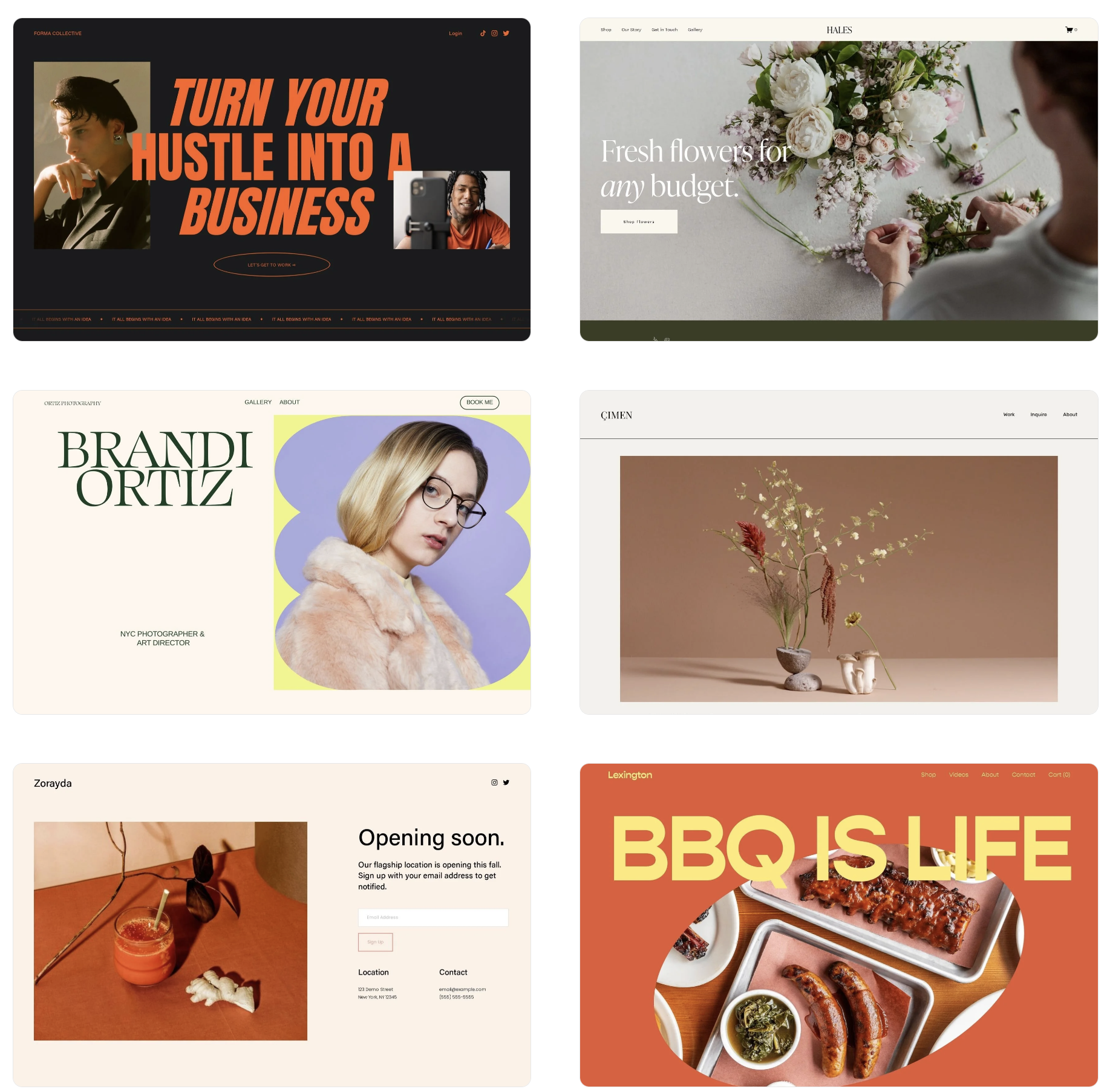
Start by visiting your favorite websites. They do not need to be related to your site, just sites that you gravitate towards. Pay attention to the details. How are they laid out? How do you navigate between pages? How do they use fonts and colors to direct your attention to specific elements? What features do you want on your site? What is missing from the site that would make it even better?
Example Templates
Another way to determine what you like is by exploring templates and themes used by majoring hosting sites. Make note of the templates name and what specifically drew your attention to that template.
Text and Fonts
Website text is divided into two major categories: headings and paragraphs. Headings help determine the structure of your webpage and are used by accessibility tools such as screen readers to help users navigate your website. As you can see, the font size and weight (boldness) typically get smaller and lighter as you go down in hierarchy, but this is a standard, not a requirement.
Heading 1
Heading 2
Heading 3
Heading 4
Paragraph 1
Paragraph 2
Paragraph 3
You can use different fonts for your headings and paragraphs to create a unique look for your site. You can stick to all serif fonts, all sans serif fonts, or a combination of both.
Explore font combinations for inspiration
Inkbot Design Font Combinations for Serious Brands (this page can be slow to load)
FontJoy - font pair generator
Font Families
Fonts are grouped into families. Most web hosting services will allow you to pick one font family for your headings and one font family for your paragraphs. Customizing these options may be possible, but could end up costing you a lot more money. Explore font options, pay close attention to the number of styles in each family, since that will help determine how much you can customize your site’s look.
Your designer might not have access to all of the fonts listed on these sites, but they should be able to find a similar font that meets your needs. Otherwise, you may have to purchase the license to use your desired font.
Color Scheme

Hex code- #6495ed
HTML color name- CornflowerBlue
rgb(100, 149, 237)
hsl(219, 79%, 66%)
The colors you select will determine the text, button, and background colors, and more. You should select at least 3 main colors. Most sites will ask you to provide a light color, a main color, a dark color, and an accent color. There are 140 web-safe colors that can be viewed in all browsers and identified by name. Other colors will need to be provided to your designer as hex codes. If you have the RGB, RGBa, CMYK, or Pantone colors, you can provide those as well.
Find your colors
W3Schools Color Palettes (pre-selected palettes)
Color Hunt - hand-picked color palettes
Resources
Explore popular style guides (both font and color scheme)